
How to take Pix on WhatsApp without the customer leaving the chat
Lucas Lacerda
TL;DR
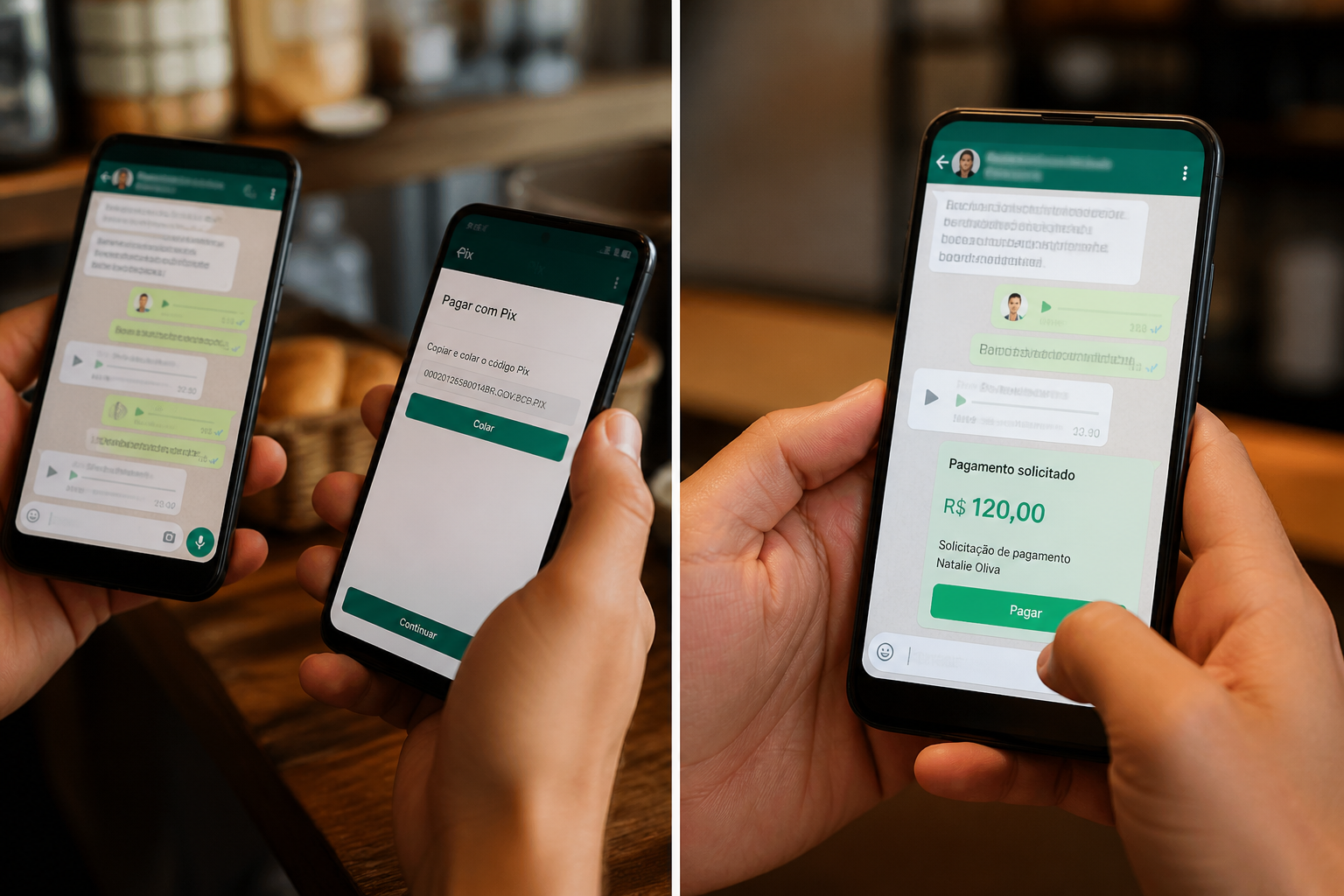
Today, taking Pix on WhatsApp means you send the key and the customer leaves the chat, opens the bank app, pastes the key, and pays there. Meta is testing the opposite: the customer authorizes Pix inside the conversation, without opening the bank app. This does not land in the WhatsApp Business app on your phone. It lands in the official API, the one bigger accounts already use to handle chats. That is the hole: they are already in the chat, and paying asks them to leave. A lot of people do not come back.
They are in WhatsApp, they ask for Pix, you paste the key.
Then they leave WhatsApp to open the bank app, paste the key, and pay. Sometimes they paste it wrong. Sometimes they come back only to send the receipt. Sometimes they do not come back.
That is still what exists. The payment does not finish in the chat. It finishes in the bank, after they have left the conversation to pay.
Google teaches four methods. All four send the customer to the bank.
Search how to take Pix on WhatsApp and the internet hands you a kit:
- Send the key in the chat.
- Send a QR code.
- Send a payment link.
- Save the key on the WhatsApp Business profile.
Looks like a solution. It is the same hop in different clothes.
In all four, the customer has to leave the WhatsApp conversation, open the bank app, paste or scan what you sent, and complete the payment there. The QR code too: they screenshot the chat, open the bank, and scan. The button that copies the Pix code only copies the code. They still paste that code in the bank app to pay. Putting the key on your profile only saves you from typing it again. The customer still leaves the conversation to pay in the bank app.
What Meta is testing is not key on the profile
The test is the opposite of the kit above.
Mid-conversation with your business, the customer chooses to pay with Pix. WhatsApp opens a window from their bank inside the same chat. They authorize the payment in that window. The window closes. They stay in the thread. They do not copy a key, and they do not open the bank app on another screen to paste anything.
The money does not sit in WhatsApp. The password does not sit in WhatsApp either. WhatsApp only connects their account to yours so the bank can authenticate the Pix. The bank is what confirms the payment. It was always the bank. The difference is the person does not have to leave the conversation to get there.
This does not land in the WhatsApp Business app on your phone. It arrives through the official API, the one higher-volume setups already use to handle chats. It is in testing. It has not arrived for everyone.
Until the test reaches your account, key, QR code, and link are still what exists.